

15 Must-Have Handheld Gaming Accessories That Won't Break The Bank
We may receive a commission on purchases made from links.
Whether you like spending hours on your handheld console or prefer playing your favorite titles on your smartphone, there are accessories that will make gaming far more comfortable and could even give you an edge over your opponents. There are a ton of options out there, though, with varying price points, so you might have some difficulty choosing which ones to buy. After all, you don't want to waste your money getting something that turns out to be useless or even detrimental to your gaming experience.
So, these are some accessories that you'll appreciate adding to your phone or handheld that will help make gaming more convenient and comfortable. I've personally owned and used several of the items here for years now, so I can vouch for their usefulness. Other items were previously featured here on MMtech Online. Although we're not listing specific items, we'll arrange them roughly from cheapest to most expensive, with the priciest accessories coming in at about $120. That way, you can find an accessory or two that you can afford, no matter what budget you have.
Finger sleeves
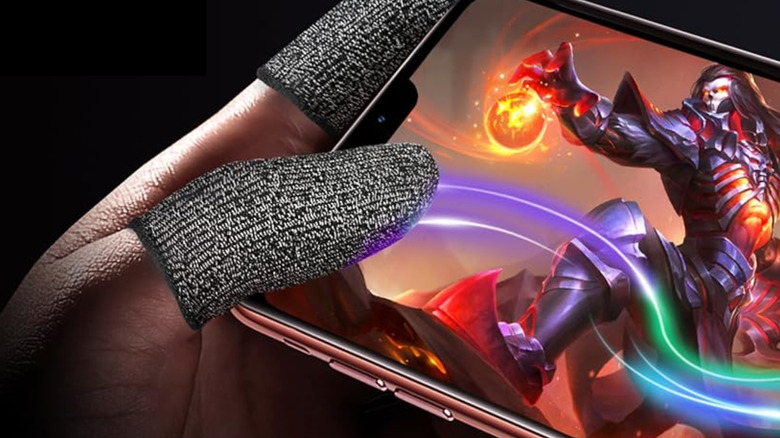
You might not think much of finger sleeves, but they're actually great for gamers who prefer playing on their smartphones. In fact, Razer, which is known for making gaming computers and accessories, released the Razer Gaming Finger Sleeve. These items go over your fingers, with some gamers saying that their ability to absorb sweat ensures that your phone does not miss any presses you make on the screen. Aside from that, they say they reduce friction, making it easier for your thumb to glide over the screen and prevent stuttering movements.
The Razer finger sleeve is quite expensive, though, at $19.99 for a pack of two; and that's not counting shipping costs. On the other hand, we saw the OniAim Gaming Finger Sleeves on Amazon, which is just $12.99 for a pack of six. This means you can put them on both your thumbs and index fingers, and have two extra sleeves ready to use in case you lose one or put them in the wash.
Screen protectors
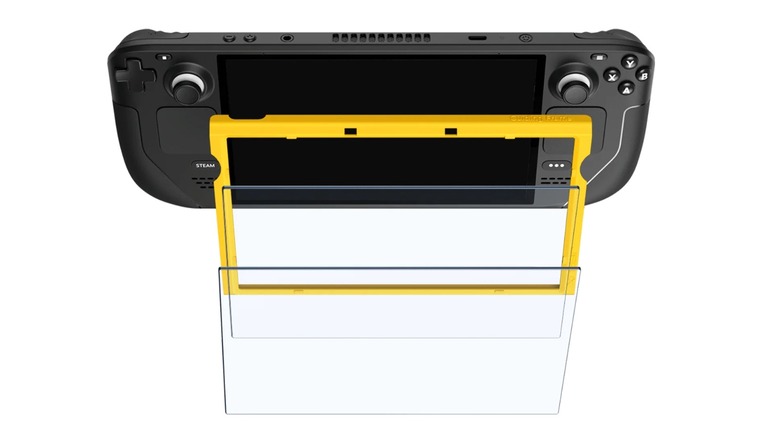
Many users buy a screen protector for their phone as soon as they get it, and gaming handheld consoles deserve the same treatment, too. Aside from protecting the screen from cracks and scratches, it can also reduce the chances of glass fragments from scattering in case you break the display. This is exactly the reason why Nintendo says you should not remove the screen protector layer of the Switch 2. Unfortunately, not all handhelds come with a built-in screen protector.
In fact, the Steam Deck, which arguably started the modern handheld PC gaming revolution, did not come with a screen protector. While most gamers will not use and abuse their handheld consoles, adding a screen protector is just a prudent idea as it gives your console additional protection in case you drop it or drop anything on it. While a few users argue against the idea of installing one, saying that Valve already used tempered glass for the Steam Deck and that extra protection would reduce the sensitivity of the touchscreen, screen protectors like the Jsaux 2-pack screen protector for the Steam Deck is so cheap, at just $9.99, that it's absolutely worth the added protection.
Controller smartphone mount
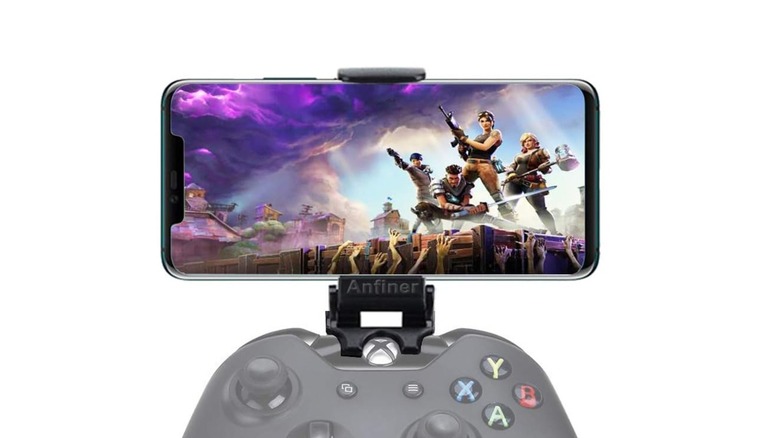
If you already have a great controller that works with PCs and want to switch over to mobile gaming, a controller smartphone mount might be a good accessory to get you started. That way, you can just reuse your existing gaming peripherals for your phone instead of purchasing another one, which is great if you have a rather expensive controller. These adapters are also pretty cheap, like this Universal Xbox Controller Clip, costing just $14.99.
A controller smartphone mount or clip will help you play comfortably, as it keeps your phone mounted directly above the controller. That means you don't have to find a flat surface or a stand to place the phone on, making it particularly useful if you're playing in a place without an available table, like in a car or on a train. Some adapters also let you charge your phone or attach wired earbuds while gaming without the cable getting in the way.
Wired earbuds
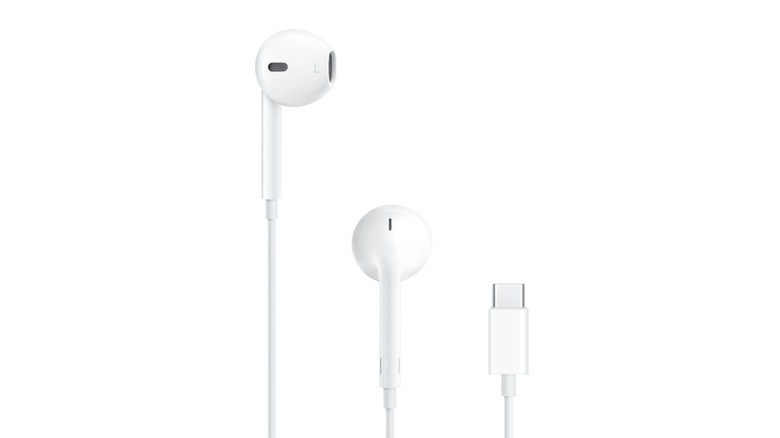
Audio is important in gaming. Aside from making it immersive, it can also give you clues and cues as to where your opponents are coming from. And while a few prefer their sounds to come from a top-rated speaker, that might be disturbing to other people, especially if you play in public, like on a bus, train, or plane.
While a pair of some of the best wireless earbuds are great for listening to music, they sometimes have a small lag, which can be distracting when gaming. If you want to avoid that, the best solution would be to use wired earbuds that connect physically to your device. This ensures that you instantly hear everything that's happening on the screen, and will even help you save some battery by letting you turn off your phone's Bluetooth during long gaming sessions. They're also quite affordable, with popular choices like the Apple EarPods only costing $19 on Amazon.
Analog game pad triggers
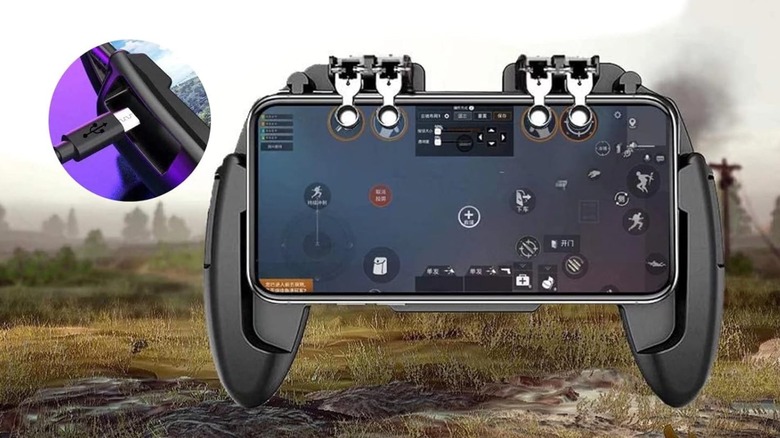
Many gamers prefer using controllers when playing, but they could be pricey and require charging. Wireless models also often connect via Bluetooth to your smartphone, consuming extra battery power, and some games, like "Call of Duty: Mobile", would only pair you with other players that have the same control scheme. If you want to avoid all these limitations, consider getting this $21.99 game pad trigger from Amazon.
Although it has the same concept as clip-on mobile gaming triggers, this accessory holds your phone in a cradle similar to Backbone-style smartphone controllers. This ensures that your phone is securely held in the controller and also comes with palm grips, to make long gaming sessions more comfortable. Aside from that, it replaces the buttons on clip-on accessories with proper triggers, making it far easier and more ergonomic to use, especially in FPS games. I've personally used this accessory to win matches on Call of Duty: Mobile, and while it may look weird, I can say that it works well and is a good alternative to some of the best gaming controllers for Android without breaking the bank.
Carrying case for handheld gaming consoles
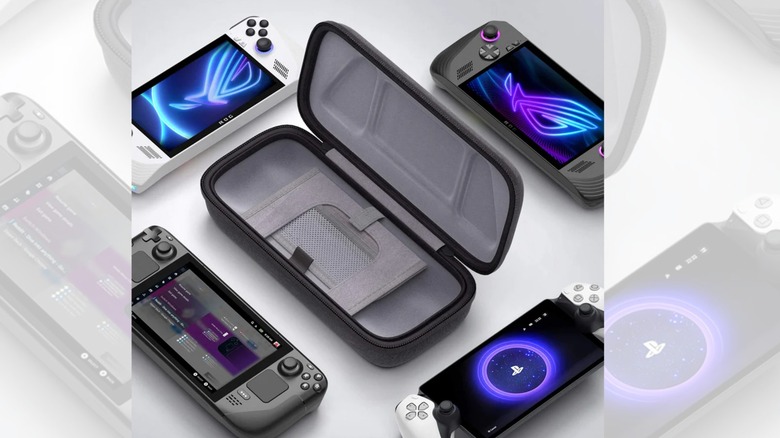
Many of us place our phones and tablets in a case and cover them with a screen protector, which is more than enough protection for most day-to-day scenarios. However, we cannot say the same for handheld consoles, especially as they have thumb sticks and other buttons that can be accidentally pressed in your bag. Even if you put a protective case around your handheld, the controls on your gaming device can still be pressed and moved when you just chuck it in with your other belongings. This could lead to premature wear of the device's joysticks, leading to issues like stick drift. While you can fix minor issues through cleaning, recalibration, and dead zone adjustment, you'll have to repair or replace your console's control sticks if the issue is bad enough.
You could find instructions online on how to fix this issue for almost any device, including for the Nintendo Switch. However, it would be better if you didn't have to deal with the issue at all by using a carrying case. This accessory ensures that there's always a clean and safe place that you can put your controller in, and it will also prevent its controls from being moved while it's in your bag. They also don't cost very much, with the Jsaux Carrying Case, compatible with multiple devices, only costing $25.99 on Amazon.
Docking station
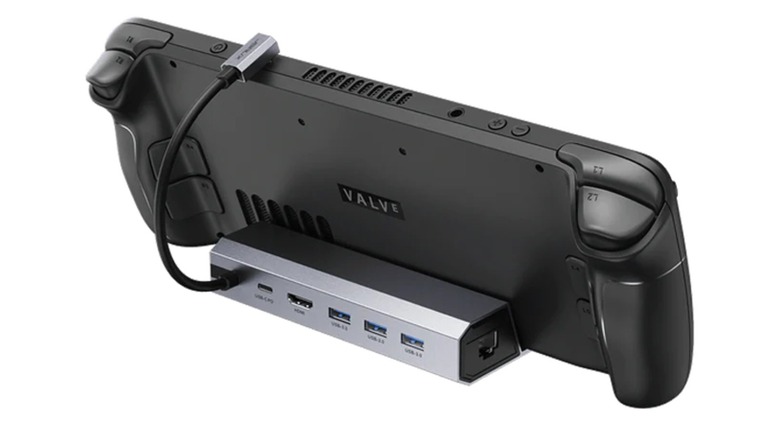
Most people buy handheld gaming consoles because of the portability of these devices. But there might be a few times when you're at home, and you simply want to play on a larger screen while lying in bed or sitting on a couch. So, if you have one of the best TVs for playing Xbox or PlayStation but don't want to spend money on a console which keeps receiving massive price hikes, why not just get a docking station for your handheld device instead?
Prices for a docking station may vary, especially if you have a Nintendo Switch 2, which often does not work well with third-party docks. But if you have handheld gaming PCs, like the Steam Deck, you can easily find an affordable dock for just $20 or $30. For example, this $29.99 Jsaux Docking Station lets you connect a 4K monitor to your Steam Deck, ROG Ally, Legion Go, or MSI Claw handheld via an HDMI port. It also offers an Ethernet port and several USB ports to connect other gaming peripherals, like mouse and keyboard, to your handheld, turning it into a light gaming PC.
Backbone-style smartphone gaming controller
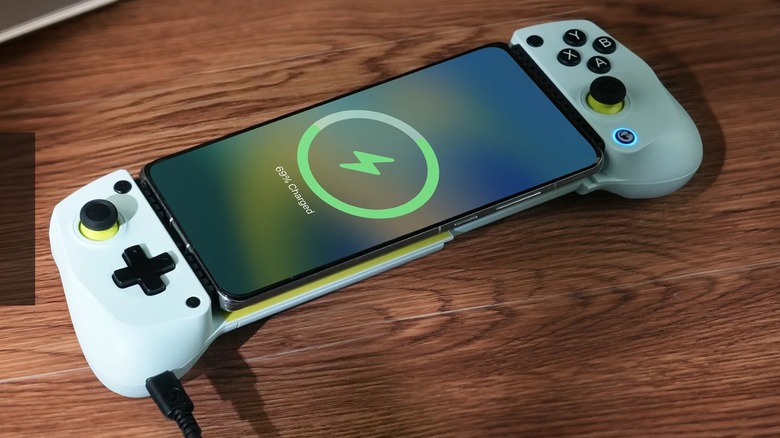
Handheld gaming consoles with integrated controls are great for gaming on the go, but they're not for everyone. So, if you prefer playing on your smartphone but still want a similar control scheme, the smartphone gaming controller is for you. There are many different versions of this device on the market, but we prefer ones that connect directly to your smartphone via the USB-C so that you don't have to deal with Bluetooth latency and charging another device.
We've reviewed the GameSir X2S Type-C earlier this year and found it to be light and compact while remaining versatile, easy to use, and affordable, at just $46. We've also found newer versions of this controller with the GameSir X5 Lite, which is even cheaper at just $34.99 on Amazon. But if none of these take your fancy, check out our list of affordable alternatives to the Backbone Gaming Controller.
Clip-on mobile gaming triggers
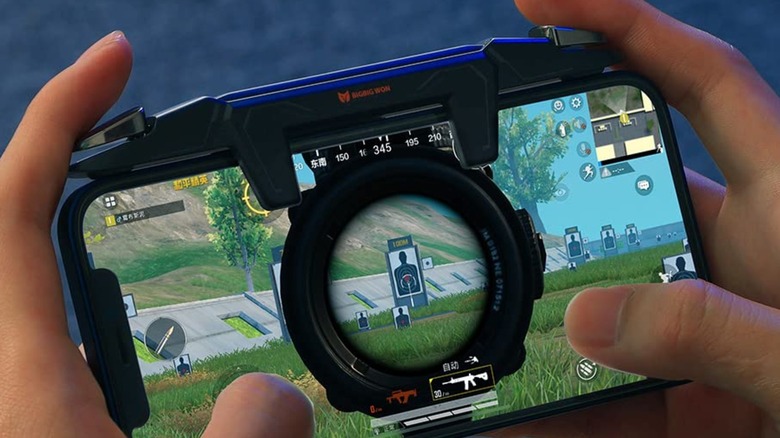
While touchscreens offer a lot of flexibility when it comes to gaming, they're still not as tactile as physical switches you can find on gaming controllers. So, to solve this, you can get mechanical clip-on mobile gaming triggers that attach to the top of the screen. These shoulder triggers attach to the top of your phone or tablet and tap on the screen when you press the trigger. Note that the trigger and button are mechanically connected, so you don't need to pair it with your phone or charge it when you're using it. They're also quite portable, so you can just slip them in your bag or pocket and then attach them to your device when you want to play a match.
With this accessory installed, you just need to remap the action buttons on your game to the area on your screen that the trigger presses on. That way, you can easily use your index and middle fingers to press the buttons on the triggers and activate the actions without needing to hunt for the tiny icons on your phone screen. OnePlus launched its own version of this gaming trigger, but it seems that it is no longer in production. You can get the Bigbig Won Gaming Triggers on Amazon instead, which cost $35.99.
Smartphone cooler
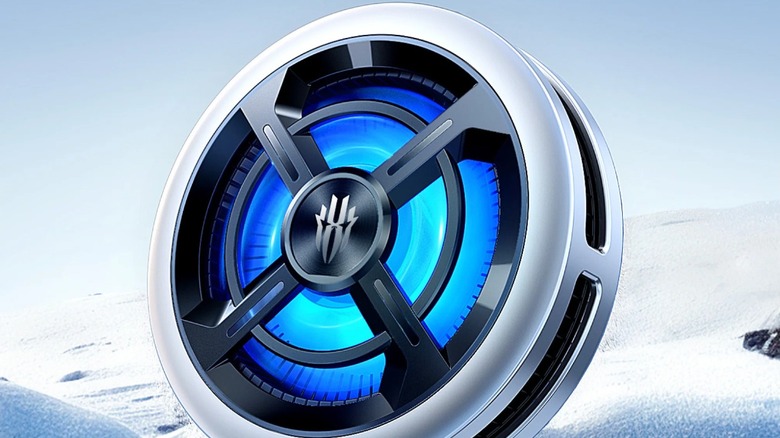
Smartphones have gotten a lot more powerful in recent years, with models like the iPhone 17 Pro Max and Samsung S25 Ultra offering a ton of performance in such a small package. But because these devices are built with portability in mind, they often do not have the best cooling, especially when compared to bulkier handheld consoles with built-in fans. So, if you plan to have long gaming sessions on your phone, a cellphone cooler can do wonders for your performance.
The RedMagic VC Cooler 6 Air is a $44.90 magnetic fan that snaps on to the back of your device to give it additional cooling. Even if your phone doesn't have MagSafe or come with a magnetic case, you can still use it via the included attachment clip to help cool your phone. RedMagic says that it can reliably bring your phone to 77 degrees Fahrenheit, and that the device itself can go as low as 26 degrees, which should be enough to stop your phone from overheating and throttling performance, even if you play all day long.
Bluetooth controller
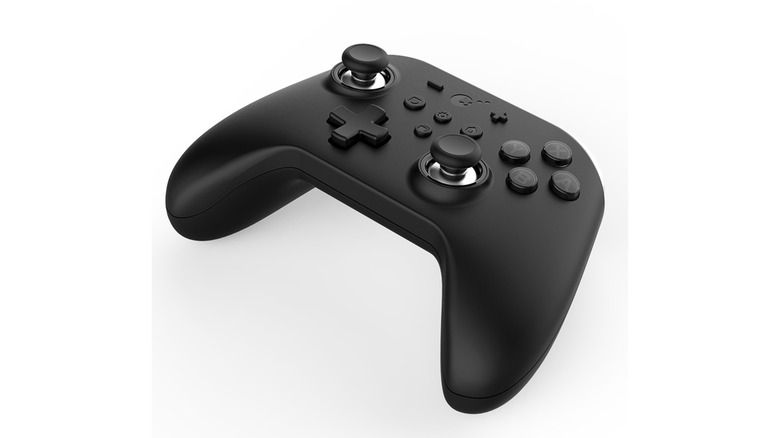
If you really want to bring the feeling of console gaming to your smartphone, a Bluetooth controller is the best accessory for you. A Bluetooth game controller is one of the cool gadgets you can use with your Android phone, and it also works with the iPhone, as I've tested with my GuliKit KingKong 2, which costs $49.89 on Amazon. While this still does not deliver the feel of a mechanical keyboard and a gaming mouse, you still get a better gaming experience versus just playing with your phone screen.
The major downside with this is that it's a bulky accessory that you'll have to keep in your bag. But if you're into console gaming and want to have some game time while in transit, then it's worth the hassle of bringing it around. And because most Bluetooth controllers connect to other Bluetooth devices, you may be able to use it for your PC and consoles, too.
A slim fast charger with a foldable plug
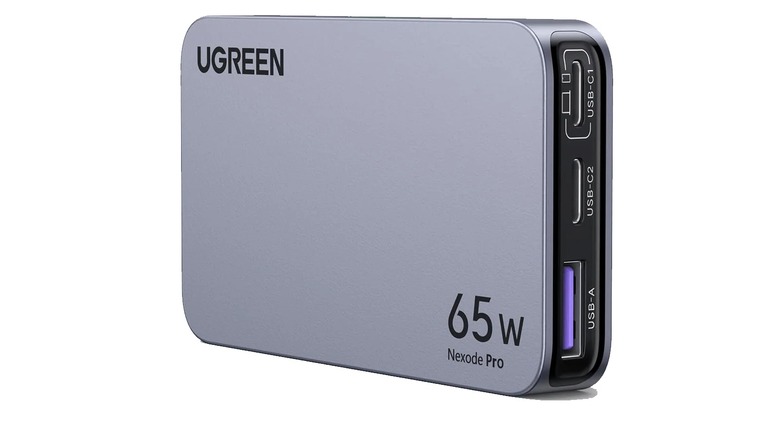
While smartphones, tablets, and handheld consoles have much longer battery life compared to years ago, you could still run out after a few hours of gaming. That's why we recommend keeping a slim fast charger with you — that way, you can charge up your gaming device wherever there's an open outlet, allowing you to play for longer once you've topped up your device's battery.
Of course, it's inconvenient to lug around a huge charger with you, so instead of opting for a massive power brick, we instead recommend a slim USB charger with a foldable plug. One good example is the Ugreen Nexode Pro 65W Slim, which is available on Amazon for $55.99, although it's often on sale for less than $45. It gets quite warm when you're using it, but it's no larger than a deck of cards, and comes with two USB-C and a USB-A port. It also has a maximum output of 65 W, which is more than enough to fast charge a phone and even some handheld consoles.
Power bank
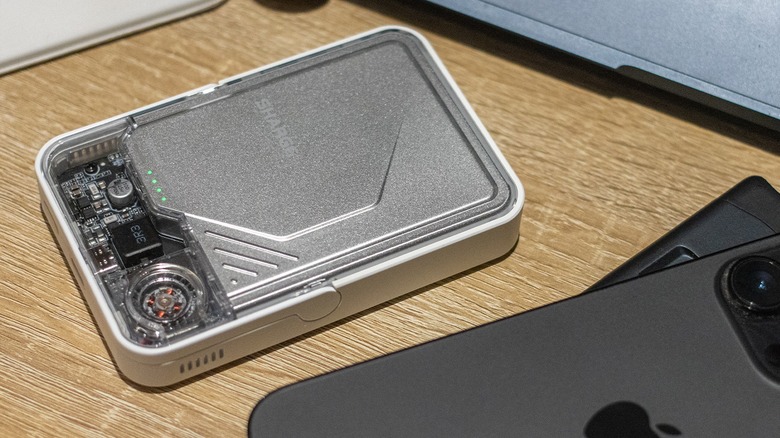
There are times when it's just not possible to plug into a power outlet when you get a low battery warning on your gaming device. When this happens to you, a power bank will be a lifesaver. These devices range between 5,000 mAh and 50,000 mAh in capacity, with most portable models coming in at 10,000 mAh, which should be more than enough to give a phone one full charge.
Power banks can also charge handheld consoles like the Steam Deck, giving you extra minutes of gameplay. It will depend on the console how many more minutes of battery life you can get with one 10,000 mAh power bank, but some devices like the Nintendo Switch have a battery capacity that's similar to a smartphone, so expect the same recharging capacity. Decent models like the Share Icemag 2 we've reviewed costs around $70 on Amazon, a good price for a gadget like this that you can use for multiple devices.
Bluetooth gaming earbuds
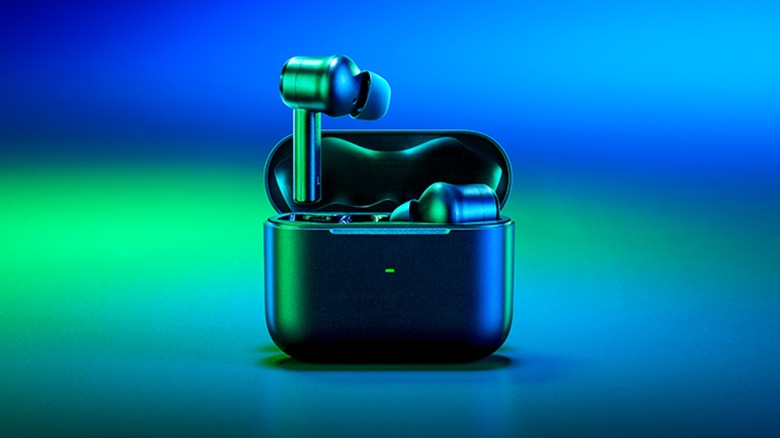
Many Bluetooth earbuds have unacceptable latency when it comes to gaming, that's why many users — especially those into fast-paced, high-intensity games — don't like using the average pair when going into a match. But if you insist on wireless technology because of its convenience and for watching movies and listening to music, you'd need a good pair of wireless earbuds. While we have a list of the best Bluetooth headphones, we cannot recommend them directly because we don't know if their latency is good enough for gaming.
Instead, you should take a look at earbuds that have been specifically made for low latency, like the Razer Hammerhead True Wireless Pro. This pair of earbuds only cost $79.99, but Razer claims that it has a 60 ms latency when gaming mode is activated. Although the company offers a newer model with 2.4 GHz connection via a dongle, alongside Bluetooth 5.3, it costs over $160, putting it out of reach of our $120 budget.
A microSD card
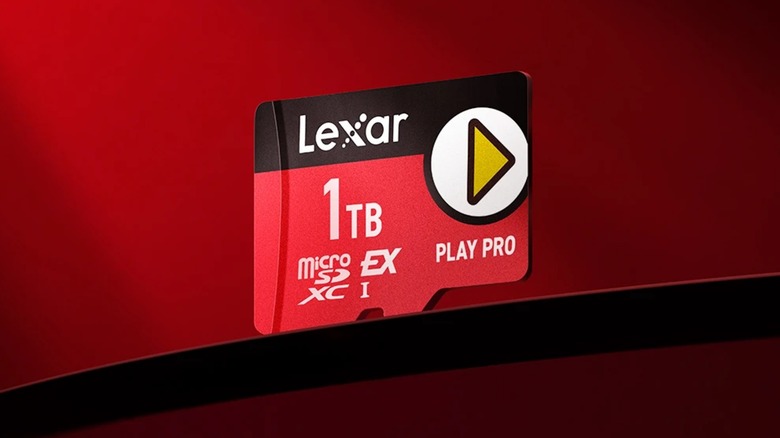
Most phones no longer come with expandable memory, so you cannot use a microSD card if you want to install a ton of games on them. But if you have a handheld console with a microSD slot, then a microSD card is a no-brainer upgrade for many players. The extra storage would allow them to install more games, reducing the need to constantly uninstall old titles just so you have the space to install new ones. If you can afford to get the highest capacity microSD card you can buy today, then you could potentially download your entire library on to your handheld.
But even if that is out of reach for you, we found this high-quality 512 GB Lexar Play Pro microSD card for just $119.99 on Amazon. You could probably find cheaper microSD cards from other reputable brands, too, but always get the ones with a speed rating of A2 and above to avoid encountering loading speed issues with your games.
Why we chose these gaming accessories

I chose all these gaming accessories based on my own experience playing on smartphones and other handheld devices for several years now. I've also personally reviewed several of these items and owned more of them. As for the rest, we considered the experiences of other MMtech Online writers, and we've linked to some of the items we've reviewed as well. Each of these items costs less than $100, and all are currently available for purchase.