

Can You Send Apple Invites To Android Users?
From seamless file transfers through AirDrop to support for Dolby Atmos in Apple Music, it's tough to match the experience Apple products provide. This walled garden approach, however, is only convenient as long as you're surrounded by Apple devices. Take iMessage, for example — it's only recently gotten RCS support, finally bridging the gap between iOS and Android users. Apple is infamous for locking down features to its hardware, but the Invites app launched in early 2025 is an exception that's quite welcome.
For those unfamiliar, the Apple Invites app lets users create and share digital invitations with friends and family. It goes beyond just a link and an address — you can customize your invites with custom backgrounds, load up a playlist of your favorite tracks, and even create a shared album that all attendees can access and add photos to. Users who receive an invitation link can check the venue's address, see who else is attending, and RSVP to confirm. You'll also be shown weather information as the event day nears. The app works as you'd expect on Apple devices — seamlessly and effortlessly.
The good news is that Android users can join in on the fun. You can share invites with your friends who have Android devices, and the experience is surprisingly well-padded, despite there not being a dedicated Apple Invites app on the Google Play Store. Here's how the service works on Android, along with the few caveats one might encounter.
How Apple Invites works on Android
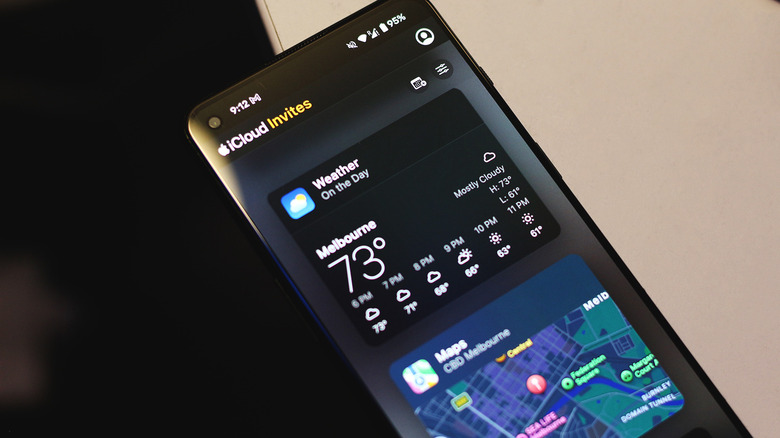
Assuming you're the one with an iPhone, you can create as many invitations as you please via the Apple Invites app — as long as you're subscribed to iCloud+. You can then share them through a link or via email. Recipients with iOS devices will be immediately booted into the Apple Invites app, and everyone else, including Android users, will be redirected to the web app.
Once you've confirmed your email address, the Apple Invites web app provides a nearly identical experience to the native app on iOS, just without some of the fluidity and animations. Android users can RSVP as usual and view event details, including the location, weather, and attendee list. iPhone users are notified of any updates made by the organizer through a direct push notification, while Android users will receive them via email.
A hallmark feature of Apple Invites is the ability to share photos with everyone attending the event. Android users can view and add photos from their gallery, too, but only after signing up for an Apple account first. This is the added friction that iPhone users don't have to deal with, but creating an Apple account is free and should only take a few moments. You can also view any playlists that have been added and export the invitation as a calendar entry. Android users with an iCloud+ subscription can even create their own invitations.